
16.Sep.2023
We wanted to do a case study with Flutter.
A smart home system can be designed using different communication protocols. We have previously made applications related to Bluetooth and WiFi communication on our site. Those studies can be examined from the links below.
Link: Controlling 8 LEDs with Android phone
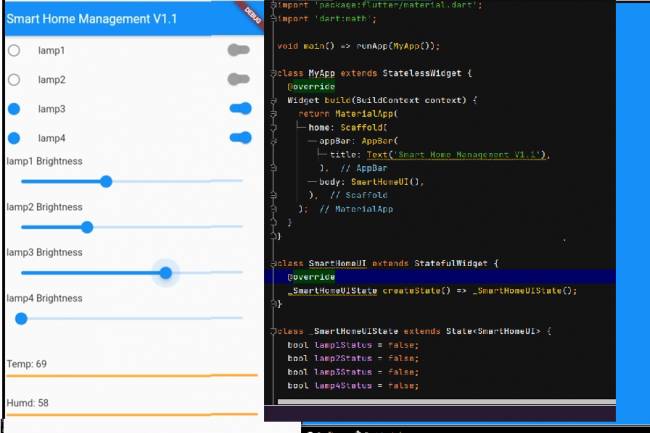
Our Mobile Interface design consists of 9 widgets. Bluetooth or wifi connection codes that we have previously made can also be added to these codes.
Flutter-Dart codes are below:
import 'package:flutter/material.dart';
 import 'dart:math';
 void main()=> runApp(MyApp());
 class MyApp extends StatelessWidget {
    @override
    Widget build(BuildContext context) {
      return MaterialApp(
        home: Scaffold(
          appBar: AppBar(
            title: Text('Smart Home Management V1.1'),
          ),
          body: SmartHomeUI(),
        ),
      );
    }
 }
 class SmartHomeUI extends StatefulWidget {
    @override
    _SmartHomeUIState createState()=> _SmartHomeUIState();
 }
 class _SmartHomeUIState extends State<SmartHomeUI> {
    bool lamp1Status=false;
    bool lamp2Status=false;
    bool lamp3Status=false;
    bool lamp4Status=false;
    double lamp1Brightness=0.0;
    double lamp2Brightness=0.0;
    double lamp3Brightness=0.0;
    double lamp4Brightness=0.0;
    double tempValue=Random().nextInt(70).toDouble();
    double humdValue=Random().nextInt(70).toDouble();
    double windValue=Random().nextInt(70).toDouble();
    @override
    Widget build(BuildContext context) {
      return SingleChildScrollView(
        child: Center(
          child: Column(
            mainAxisAlignment: MainAxisAlignment.start,
            children: <Widget>[
              buildSwitchTile("lamp1", lamp1Status),
              buildSwitchTile("lamp2", lamp2Status),
              buildSwitchTile("lamp3", lamp3Status),
              buildSwitchTile("lamp4", lamp4Status),
              buildSlider("lamp1", lamp1Brightness),
              buildSlider("lamp2", lamp2Brightness),
              buildSlider("lamp3", lamp3Brightness),
              buildSlider("lamp4", lamp4Brightness),
              SizedBox(height: 20), // Add space between
              buildSensorWidget("Temp", tempValue),
              buildSensorWidget("Humd", humdValue),
              buildSensorWidget("Wind", windValue),
            ],
          ),
        ),
      );
    }
    Widget buildSwitchTile(String name, bool status) {
      IconData iconData=status ? Icons.brightness_1 : Icons.brightness_1_outlined;
      Color iconColor=status ? Colors.blue : Colors.grey;
      return ListTile(
        leading: Icon(
          iconData,
          color: iconColor,
          size:24.0,
        ),
        title: Text(name),
        trailing: Switch(
          value: status,
          onChanged: (value) {
            setState(() {
              if (name=="lamp1") {
                lamp1Status=value;
              } else if (name=="lamp2") {
                lamp2Status=value;
              } else if (name=="lamp3") {
                lamp3Status=value;
              } else if (name=="lamp4") {
                lamp4Status=value;
              }
            });
          },
          activeTrackColor: Colors.blue,
          activeColor: Colors.blue,
          inactiveThumbColor: Colors.grey,
          inactiveTrackColor: Colors.grey,
        ),
      );
    }
    Widget buildSlider(String name, double brightness) {
      return ListTile(
        title: Text("$name Brightness"),
        subtitle: Slider(
          value: brightness,
          min:0,
          max: 100,
          onChanged: (value) {
            setState(() {
              if (name=="lamp1") {
                lamp1Brightness=value;
              } else if (name=="lamp2") {
                lamp2Brightness=value;
              } else if (name=="lamp3") {
                lamp3Brightness=value;
              } else if (name=="lamp4") {
                lamp4Brightness=value;
              }
            });
          },
        ),
      );
    }
    Widget buildSensorWidget(String name, double value) {
      return ListTile(
        title: Text("$name: $value"), // Shows random value
        subtitle: LinearProgressIndicator(
          value: value / 45.0, // normalize the value between 0 and 45
          valueColor: AlwaysStoppedAnimation<Color>(Colors.orangeAccent),
          backgroundColor: Colors.grey,
        ),
      );
    }
 }

Mobile programming Fundamentals for Control Applications
Fundamentals of mobile application development for control of electronic systems
05.04.2023
With the Flutter-Dart language, can we write an artificial intelligence program that takes a picture and lists the objects in it?
Flutter-Dart language, artificial intelligence program
06.04.2023
Writing Applications that control Electronic Devices with Flutter-Dart Programming Language
Controlling Electronic Devices remotely
06.04.2023
Controlling Wifi Devices with Flutter-Dart
Control of remote devices with Android apps, Wifi-based control applications
07.04.2023
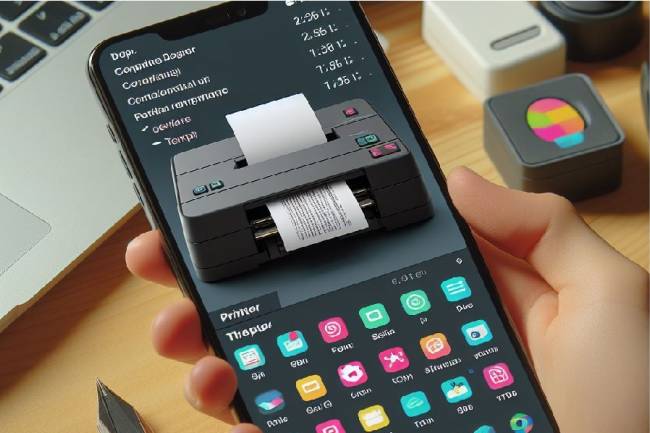
Developing an Application to Send Data to a Bluetooth-enabled Thermal Printer with Flutter
Mobile app developed with Flutter explains the step-by-step process of sending text to a Bluetooth-enabled thermal printer. Contains information about printer commands and Bluetooth communications
11.01.2024
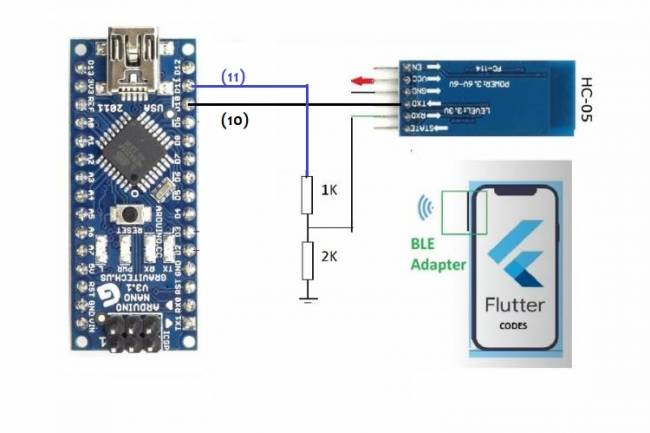
Application Development Example with Flutter and Arduino
Learn to connect mobile devices with embedded systems! In this article, learn step by step how to develop an app using Flutter and Arduino
01.03.2024
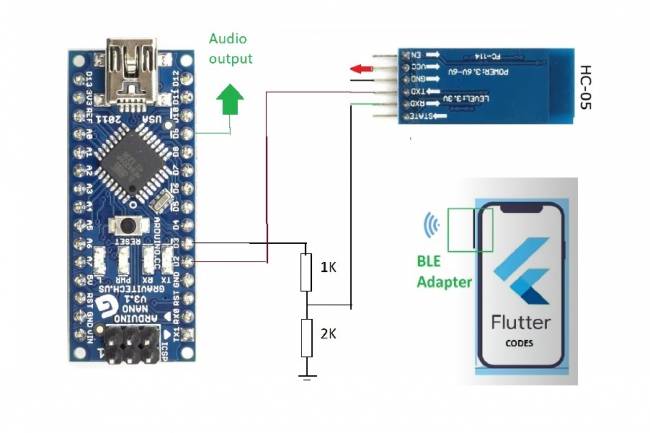
Bluetooth Speaker Project with Flutter - Audio data transfer
In this project we will try to understand how the Bluetooth speaker system is designed and how to develop it. We will examine the basics of Android programming, MCU programming-embedded system design.
24.07.2023
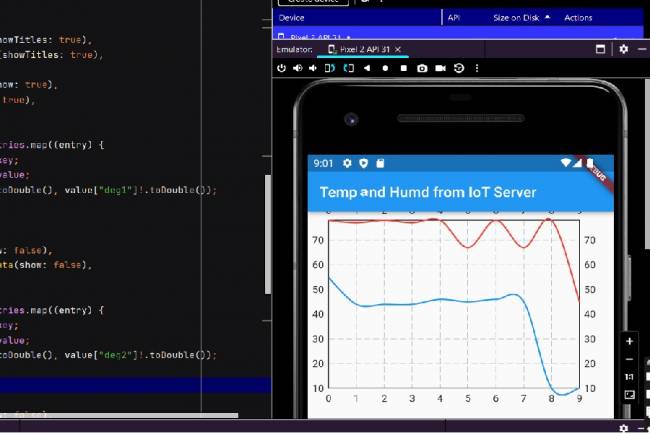
Extracting Data from Database and Creating Graphs with Flutter and PHP
Learn how to pull data from a database and create a line chart using Flutter and PHP
27.08.2023
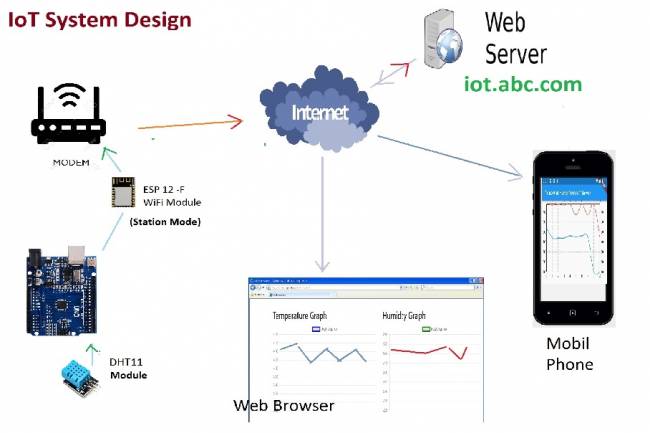
IoT System Design 1 – Temperature and Humidity Monitoring System
IoT system design with ESP 12f. Monitoring of temperature, humidity in web & mobile. Arduino, DHT11 sensor.
30.08.2023
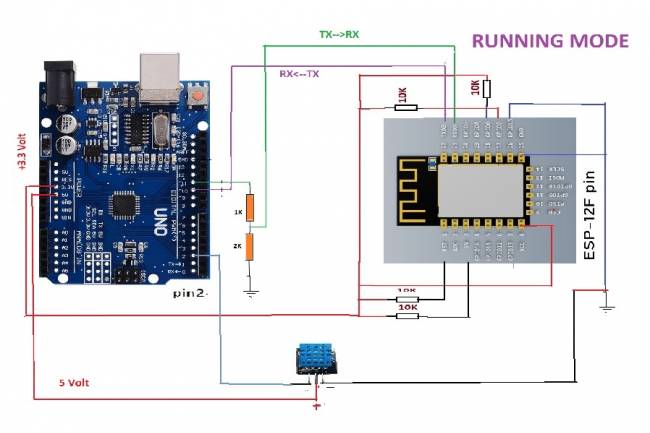
IoT System Design 2- Sending Temperature and Humidity Data to Web Server with Arduino
Learn the steps to send temperature and humidity data from DHT11 sensor with Arduino to web server via ESP 12f
30.08.2023
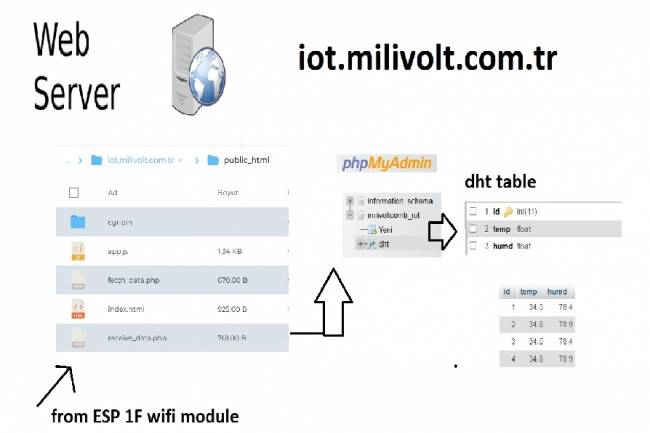
IoT System Design 3- Data Processing on the Web Server Side
Learn to transmit data from DHT11 sensor with Arduino to web server via ESP8266 and save it to database with PHP.
30.08.2023
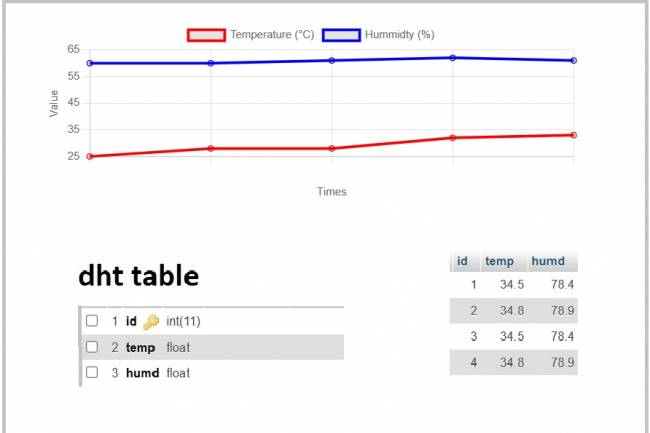
IoT System Design 4- Creating a Web Interface
Learn how data is pulled from the IoT system and used graphically.
30.08.2023
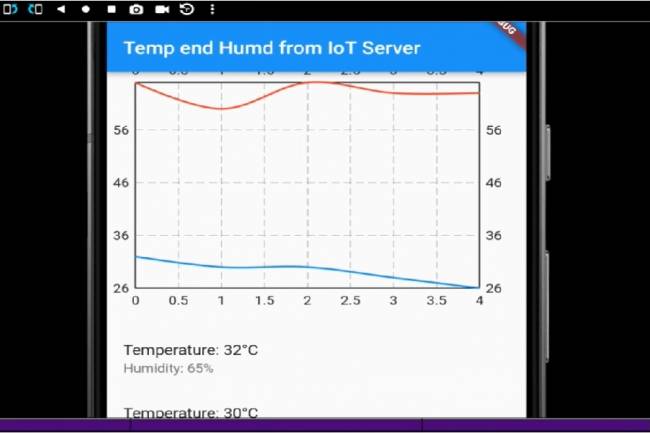
IoT System Design 5- Mobile Application Visualizing IoT Data with Flutter
Code descriptions of an application that pulls, graphs, and lists IoT data with Flutter.
30.08.2023
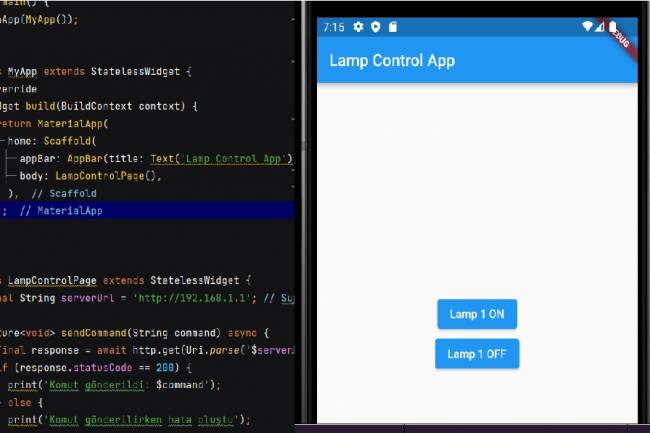
Mobile Application Development for Smart Homes
In this article, you can find the steps and examples of mobile application development using WiFi communication
01.09.2023
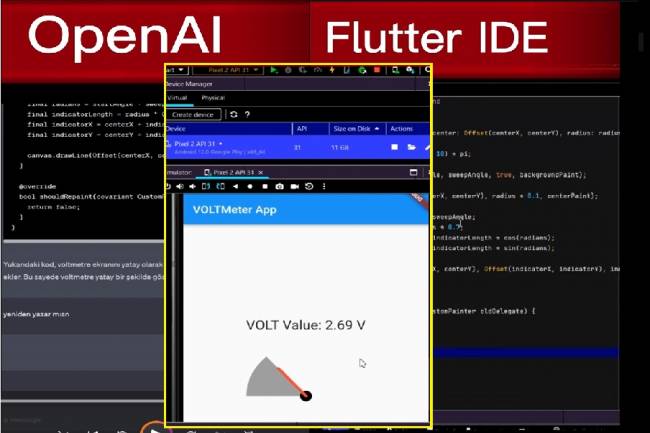
Developing Mobile Applications with Artificial Intelligence – Voltmeter Interface Application
The mobile application developed with artificial intelligence visualizes the microcontroller volt measurement with numerical data.
12.09.2023
Designing an Air Quality Measurement System 1 – Basic definitions of Air Quality
Air Quality Measurement System design and air quality parameters. PM2.5, CO, NO2, O3, SO2 measurement
02.10.2023
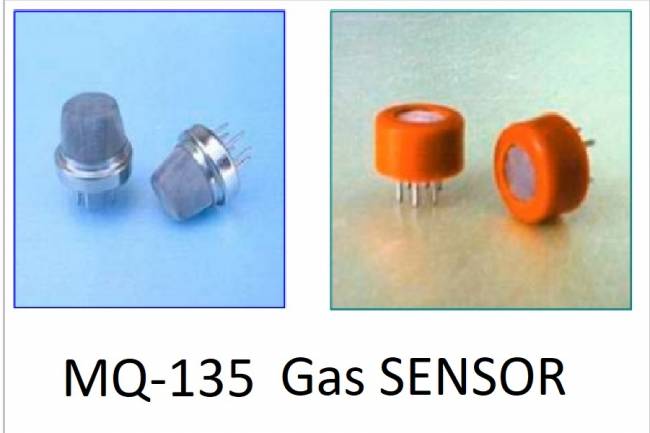
Designing an Air Quality Measurement System 2- MQ-135 Gas Sensor Review
MQ-135 Gas Sensor: A powerful sensor used to monitor air quality and detect gases. Offers precise measurement
02.10.2023
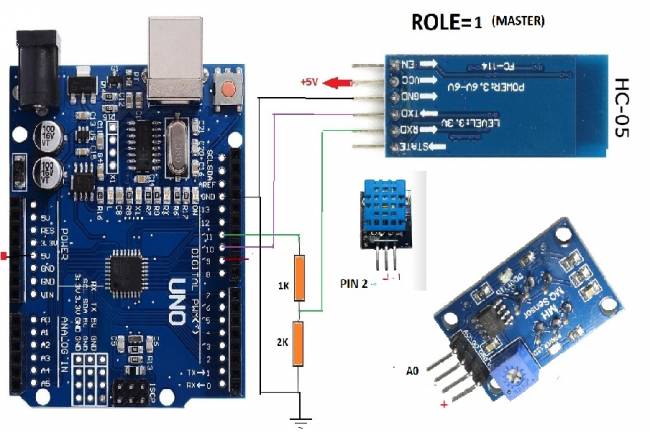
Designing an Air Quality Measurement System 3 - Measurement with MQ-135 and DHT-11
Designing an Air Quality Measurement System - Measurement with MQ-135 and DHT-11.
10.10.2023
Designing an Air Quality Measurement System 4 – Air Quality Monitoring Mobile Application
Air Quality Monitoring Mobile Application. Receive air quality data via Bluetooth, parse it in JSON format
10.10.2023