

05.Apr.2023
As milivolt.news, we have opened a new category. This category is mobile programming category.
As is known, electronic systems are now intertwined with computer programs. While designing electronic systems, we need programming languages so that they can be managed by computer software that controls these electronic systems.
Today, with the proliferation of mobile devices, electronic systems managed by mobile devices have proliferated. For example, we want to manage a garden irrigation system with an Android or IOS phone. We want to design such a system. At this point, we need a mobile programming language.
On our site, there are application examples with the bluetooth module. These examples are written in the Flutter-Dart programming language.
In this category we have opened, we will include codes related to mobile programming with Flutter-Dart.
Flutter is a popular mobile application development framework with a fast development process, rich library of widgets, and the ability to build high-performance apps. Dart is known as a fast and reliable programming language and is an excellent choice for Flutter applications.
Business logic codes written in Dart: Codes written in Dart form the business logic of the application. These codes contain functions that manipulate data, perform calculations, and perform operations.
Flutter widgets: Flutter has a rich library of widgets with many different features and functions. Widgets represent different components of the user interface, for example buttons, input fields, lists and the like.
Embedding widgets: Flutter apps are built by placing their widgets. A hierarchy is created by placing widgets inside other widgets. This hierarchy creates the image of the application.
Runtime: When the Flutter-Dart program runs, the business logic codes process the data and display the results in the user interface. Users can use the application's widgets interactively.
This is the general structure of Flutter-Dart programs. Business logic codes and Flutter widgets written in Dart are combined to create the user interface. This structure provides a fast and powerful application development process.
import 'package:flutter/material.dart';
void main() {
runApp(MyApp());
}
class MyApp extends StatelessWidget {
@override
Widget build(BuildContext context) {
return MaterialApp(
title: 'My App',
home: Scaffold(
appBar: AppBar(
title: Text('My App'),
),
body: Center(
child: Text('Hello Digital World!'),
),
),
);
}
}
This code outline, "Hello World!" Shows a simple Flutter-Dart application with text. The code starts with the main() function and the runApp() method causes the widget named MyApp to run. The MyApp class specifies the overall structure of the application, and the build() method creates the application's UI. In this example, the base view of the application is created using the MaterialApp and Scaffold widgets, and the Text widget contains the text that will be displayed in the UI.
The code outline for Flutter-Dart applications can vary depending on the needs and complexity of the application. But in general, business logic code will have basic building blocks like widgets and placement of widgets.
…
We will continue…
You can click for the mobile device control applications that we have done before: Applications - Electronics World News (milivolt.news)

With the Flutter-Dart language, can we write an artificial intelligence program that takes a picture and lists the objects in it?
Flutter-Dart language, artificial intelligence program
06.04.2023
Writing Applications that control Electronic Devices with Flutter-Dart Programming Language
Controlling Electronic Devices remotely
06.04.2023
Controlling Wifi Devices with Flutter-Dart
Control of remote devices with Android apps, Wifi-based control applications
07.04.2023
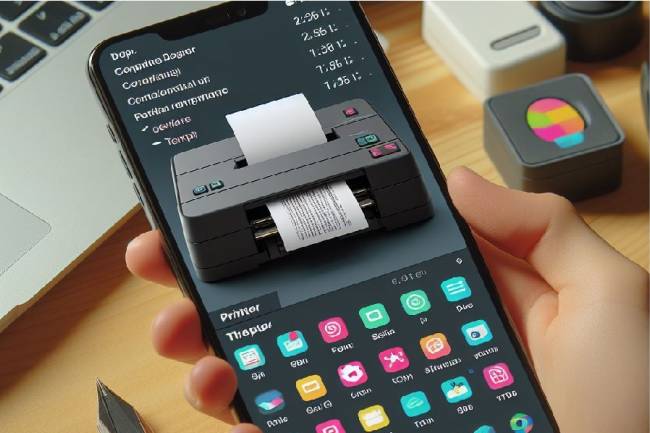
Developing an Application to Send Data to a Bluetooth-enabled Thermal Printer with Flutter
Mobile app developed with Flutter explains the step-by-step process of sending text to a Bluetooth-enabled thermal printer. Contains information about printer commands and Bluetooth communications
11.01.2024
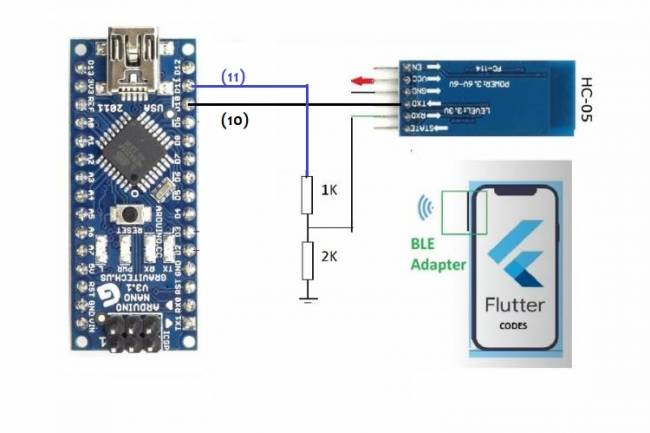
Application Development Example with Flutter and Arduino
Learn to connect mobile devices with embedded systems! In this article, learn step by step how to develop an app using Flutter and Arduino
01.03.2024
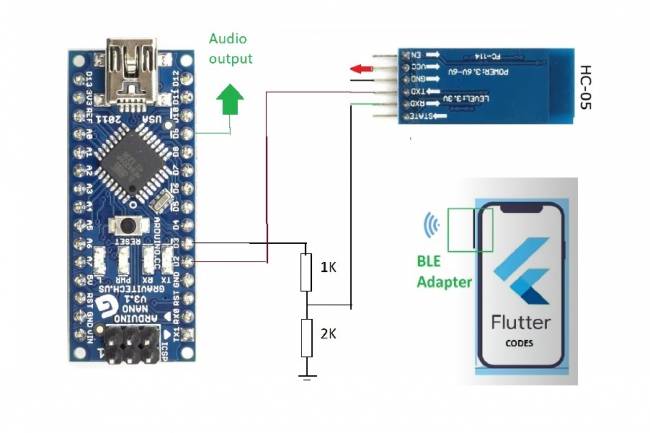
Bluetooth Speaker Project with Flutter - Audio data transfer
In this project we will try to understand how the Bluetooth speaker system is designed and how to develop it. We will examine the basics of Android programming, MCU programming-embedded system design.
24.07.2023
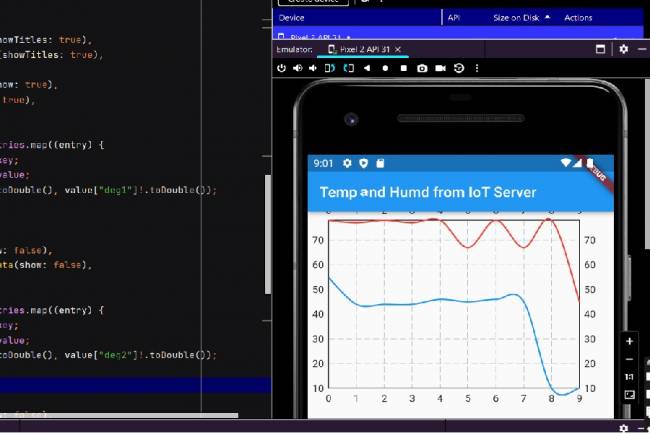
Extracting Data from Database and Creating Graphs with Flutter and PHP
Learn how to pull data from a database and create a line chart using Flutter and PHP
27.08.2023
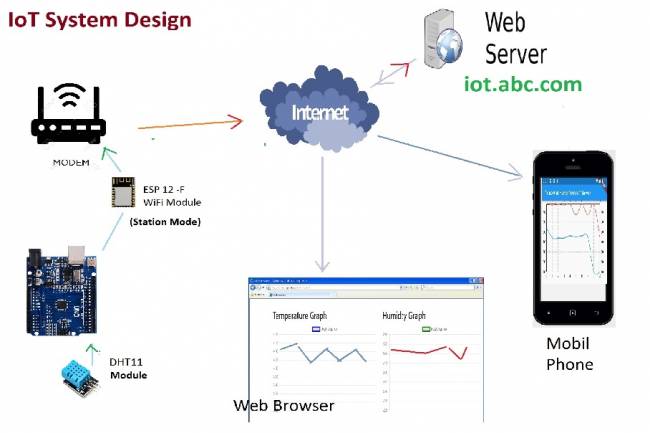
IoT System Design 1 – Temperature and Humidity Monitoring System
IoT system design with ESP 12f. Monitoring of temperature, humidity in web & mobile. Arduino, DHT11 sensor.
30.08.2023
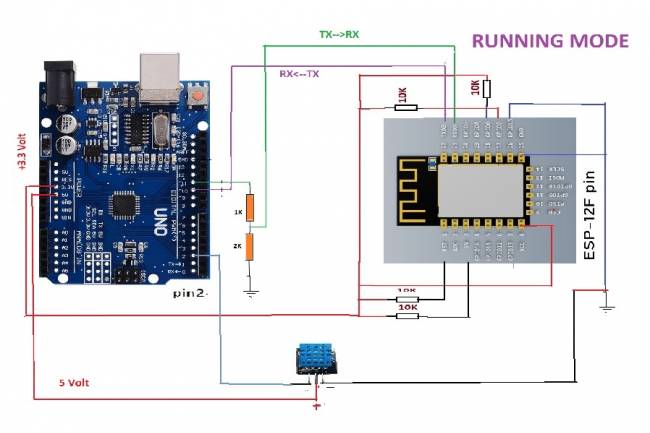
IoT System Design 2- Sending Temperature and Humidity Data to Web Server with Arduino
Learn the steps to send temperature and humidity data from DHT11 sensor with Arduino to web server via ESP 12f
30.08.2023
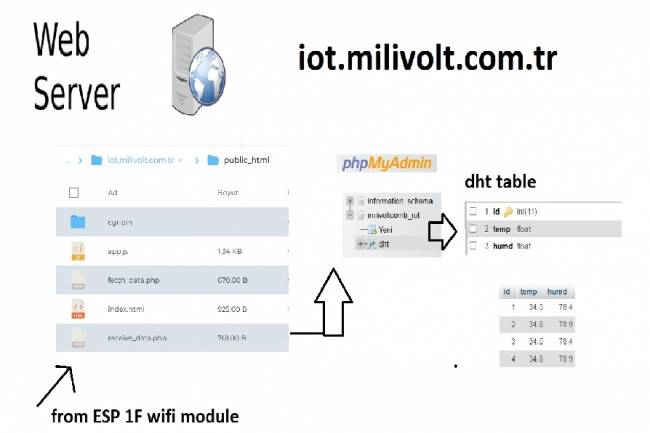
IoT System Design 3- Data Processing on the Web Server Side
Learn to transmit data from DHT11 sensor with Arduino to web server via ESP8266 and save it to database with PHP.
30.08.2023
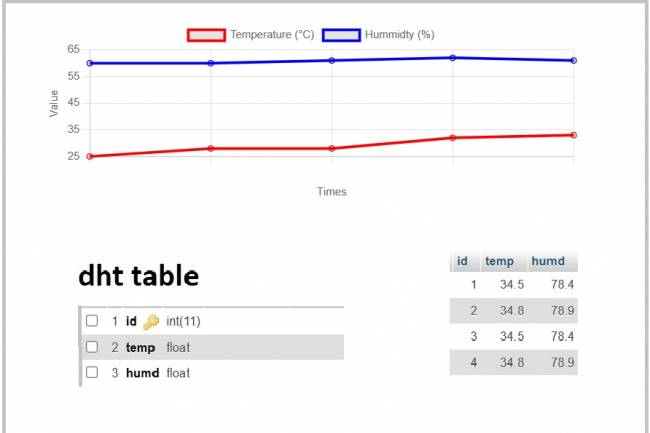
IoT System Design 4- Creating a Web Interface
Learn how data is pulled from the IoT system and used graphically.
30.08.2023
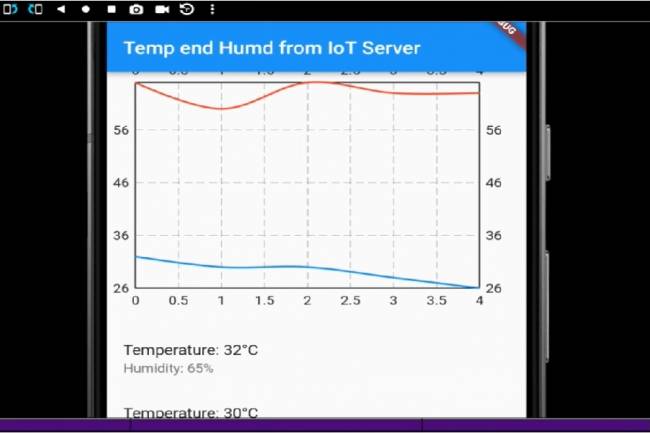
IoT System Design 5- Mobile Application Visualizing IoT Data with Flutter
Code descriptions of an application that pulls, graphs, and lists IoT data with Flutter.
30.08.2023
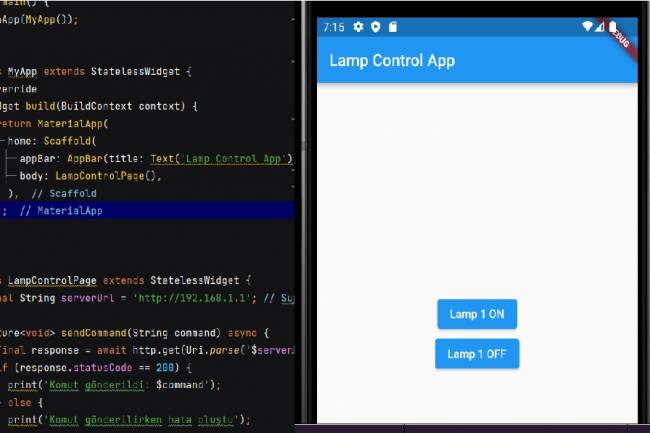
Mobile Application Development for Smart Homes
In this article, you can find the steps and examples of mobile application development using WiFi communication
01.09.2023
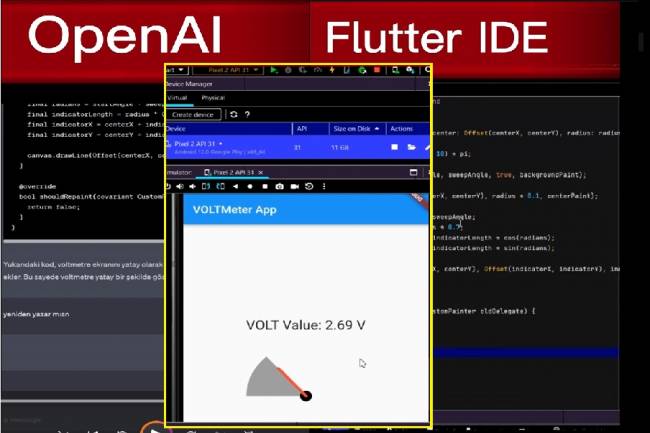
Developing Mobile Applications with Artificial Intelligence – Voltmeter Interface Application
The mobile application developed with artificial intelligence visualizes the microcontroller volt measurement with numerical data.
12.09.2023
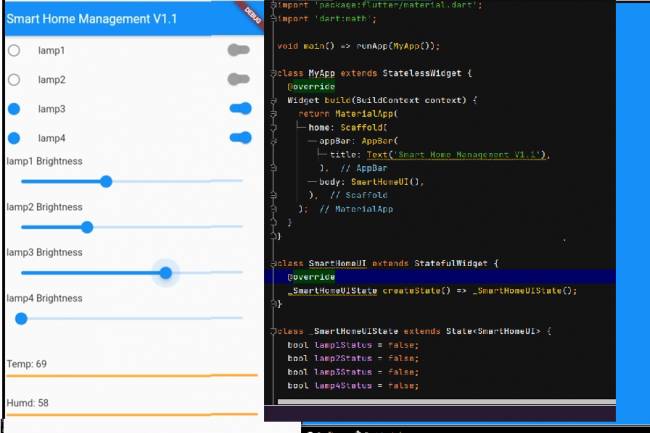
Mobile Application Interface Development Study for Smart Homes
Ways to develop mobile applications with Flutter for smart home and workplace systems
16.09.2023
Designing an Air Quality Measurement System 1 – Basic definitions of Air Quality
Air Quality Measurement System design and air quality parameters. PM2.5, CO, NO2, O3, SO2 measurement
02.10.2023
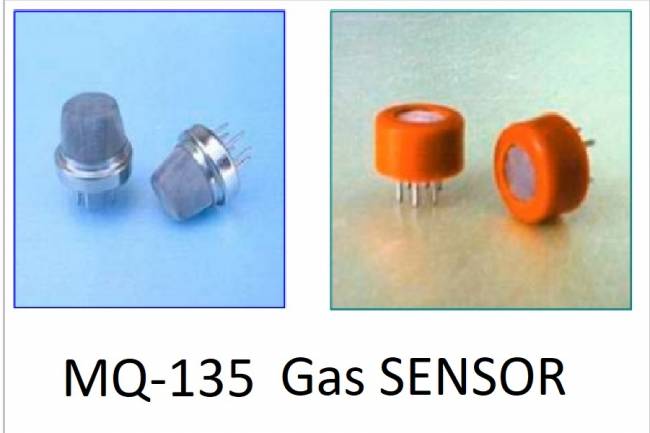
Designing an Air Quality Measurement System 2- MQ-135 Gas Sensor Review
MQ-135 Gas Sensor: A powerful sensor used to monitor air quality and detect gases. Offers precise measurement
02.10.2023
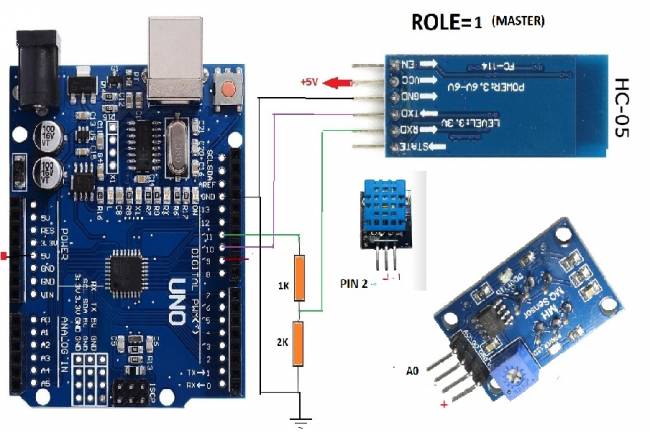
Designing an Air Quality Measurement System 3 - Measurement with MQ-135 and DHT-11
Designing an Air Quality Measurement System - Measurement with MQ-135 and DHT-11.
10.10.2023
Designing an Air Quality Measurement System 4 – Air Quality Monitoring Mobile Application
Air Quality Monitoring Mobile Application. Receive air quality data via Bluetooth, parse it in JSON format
10.10.2023