
30.Aug.2023
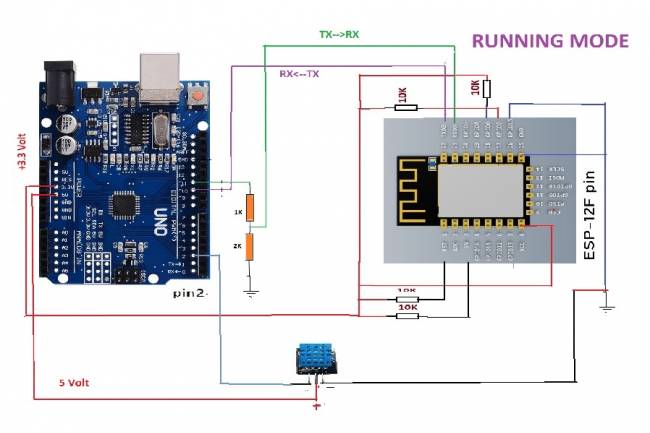
In these projects, we may generally want to read environmental data with various sensors and transmit this data to a server on the internet. In this article, you will learn how to send data from the DHT11 temperature and humidity sensor using Arduino to a web server using a Wi-Fi module (ESP 12F).
Components Used
Arduino (for example Arduino Uno)
ESP 12F Wi-Fi Module
DHT11 Temperature and Humidity Sensor
Descriptions of Arduino Code
#include <SoftwareSerial.h>
#include <dht11.h>
// Wi-Fi connection information
const char* ssid="pointx";
const char* password="123456789";
// Web server information
const char* server="iot.milivolt.com.tr"; // address of the web server
const int serverPort=80; // HTTP port
const char* path="/receive_data.php"; // GET request path
SoftwareSerial espSerial(10, 11); // RX and TX pins of the ESP12f module
#define DHT11PIN 2
 dht11 DHT11;
void setup() {
    Serial.begin(9600);
    espSerial.begin(115200);
   connectWiFi(); // Wi-Fi connection is made
 }
void loop() {
    int chk=DHT11.read(DHT11PIN);
   float humd=(float)DHT11.humidity;
    float temp=(float)DHT11.temperature;
sendDataToServer(temp, humd); // Data is sent to the server
   delay(5000); // wait for 5 seconds
 }
// Allows you to connect to the Wi-Fi network
 void connectWiFi() {
    espSerial.println("AT+RST"); // ESP12f module is reset
    delay(1000);
   espSerial.println("AT+CWMODE=1"); // The module is put into client mode
    delay(1000);
   espSerial.print("AT+CWJAP=\"");
    espSerial.print(ssid);
    espSerial.print("\",\"");
    espSerial.print(password);
    espSerial.println("\"");
    delay(5000); // wait for 5 seconds
 }
// Sends sensor data to web server
 void sendDataToServer(float value1, float value2) {
    espSerial.println("AT+CIPMUX=0"); // Single connection mode is selected
    delay(1000);
String getRequest="GET " + String(path) + "?deg1=" + String(value1) + "°2=" + String(value2) + " HTTP/1.1\r\n" +
"Host: " + String(server) + "\r\n\r\n";
   espSerial.println("AT+CIPSTART=\"TCP\",\"" + String(server) + "\"," + String(serverPort));
    delay(3000); // Waiting for server connection
   espSerial.println("AT+CIPSEND=" + String(getRequest.length()));
    delay(1000);
   espSerial.println(getRequest);
    delay(1000);
   espSerial.println("AT+CIPCLOSE"); // Connection is closed
 }
How the Code Works
1. The libraries used are imported (#include statements).
2. The functions required to connect to the Wi-Fi network are defined (connectWiFi()).
3. In the main setup() function, the serial communication speeds are initialized, the ESP12f module is reset and put into client mode.
4. The loop() function runs continuously:
Temperature and humidity data are read from the DHT11 sensor.
This data is transmitted to the web server using the sendDataToServer() function.
A certain time (5 seconds) is expected.
5. The sendDataToServer() function creates an HTTP GET request using the ESP 12f module and sends it to the server. The connection is terminated.

Mobile programming Fundamentals for Control Applications
Fundamentals of mobile application development for control of electronic systems
05.04.2023

With the Flutter-Dart language, can we write an artificial intelligence program that takes a picture and lists the objects in it?
Flutter-Dart language, artificial intelligence program
06.04.2023
Writing Applications that control Electronic Devices with Flutter-Dart Programming Language
Controlling Electronic Devices remotely
06.04.2023
Controlling Wifi Devices with Flutter-Dart
Control of remote devices with Android apps, Wifi-based control applications
07.04.2023
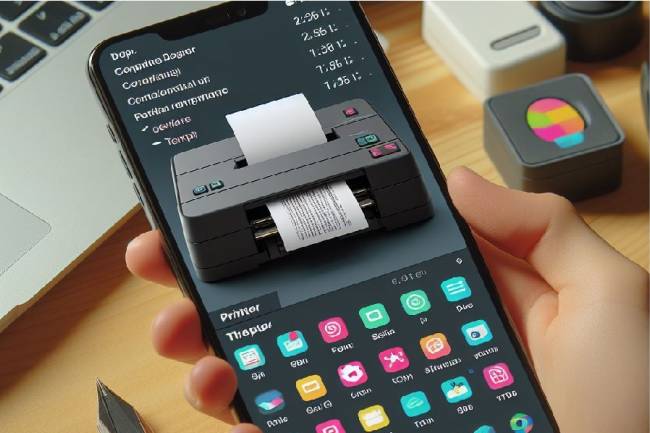
Developing an Application to Send Data to a Bluetooth-enabled Thermal Printer with Flutter
Mobile app developed with Flutter explains the step-by-step process of sending text to a Bluetooth-enabled thermal printer. Contains information about printer commands and Bluetooth communications
11.01.2024
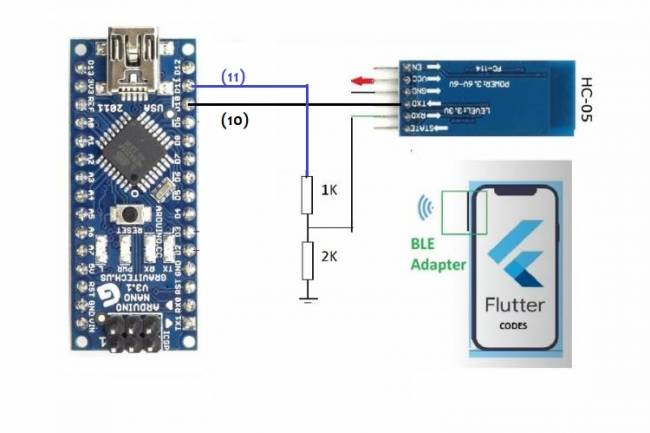
Application Development Example with Flutter and Arduino
Learn to connect mobile devices with embedded systems! In this article, learn step by step how to develop an app using Flutter and Arduino
01.03.2024
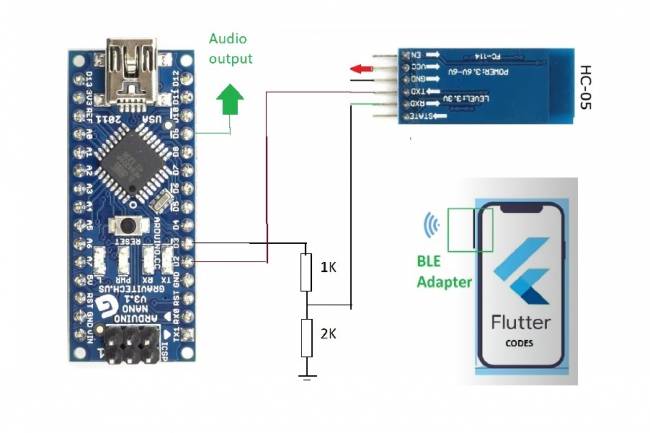
Bluetooth Speaker Project with Flutter - Audio data transfer
In this project we will try to understand how the Bluetooth speaker system is designed and how to develop it. We will examine the basics of Android programming, MCU programming-embedded system design.
24.07.2023
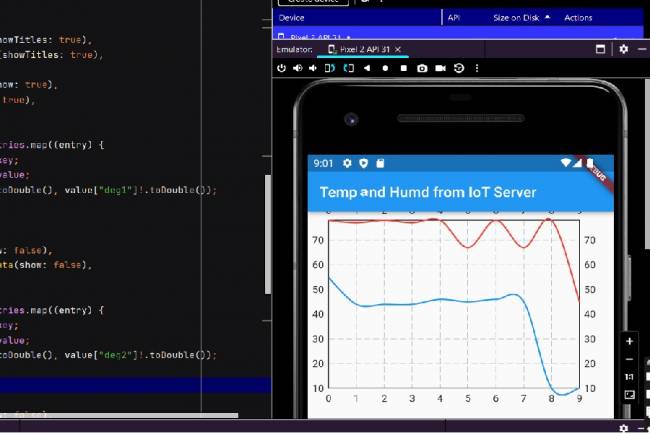
Extracting Data from Database and Creating Graphs with Flutter and PHP
Learn how to pull data from a database and create a line chart using Flutter and PHP
27.08.2023
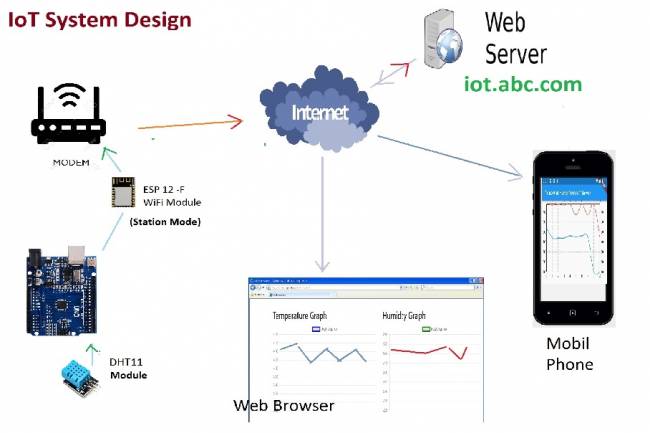
IoT System Design 1 – Temperature and Humidity Monitoring System
IoT system design with ESP 12f. Monitoring of temperature, humidity in web & mobile. Arduino, DHT11 sensor.
30.08.2023
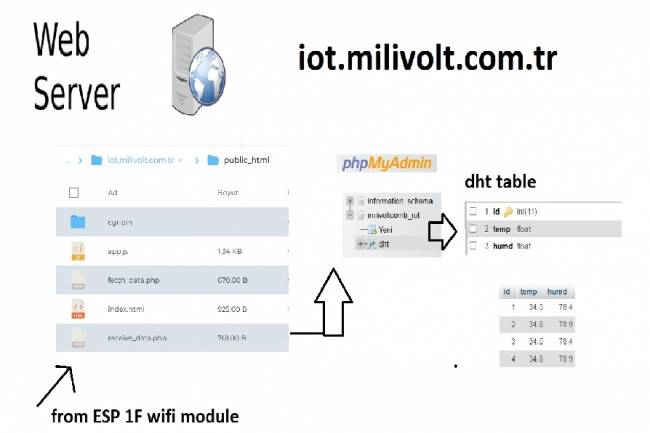
IoT System Design 3- Data Processing on the Web Server Side
Learn to transmit data from DHT11 sensor with Arduino to web server via ESP8266 and save it to database with PHP.
30.08.2023
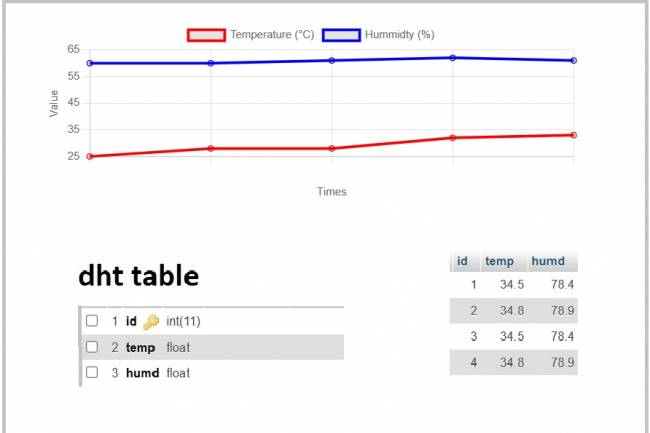
IoT System Design 4- Creating a Web Interface
Learn how data is pulled from the IoT system and used graphically.
30.08.2023
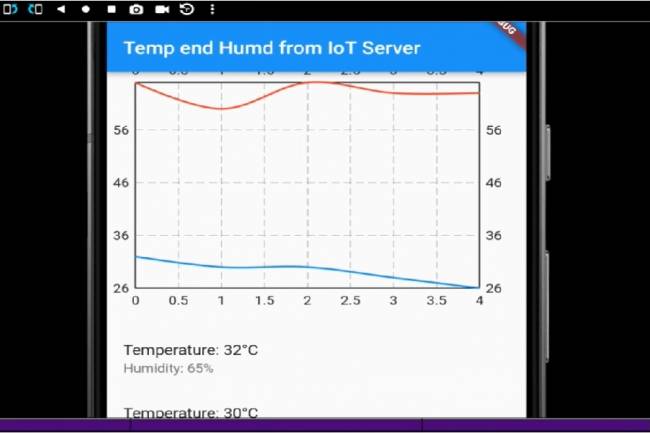
IoT System Design 5- Mobile Application Visualizing IoT Data with Flutter
Code descriptions of an application that pulls, graphs, and lists IoT data with Flutter.
30.08.2023
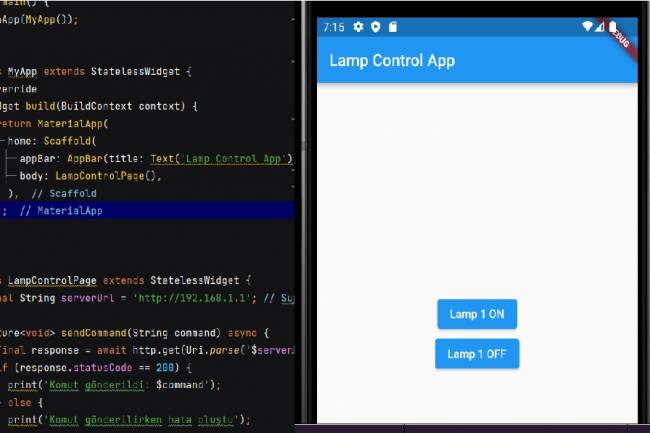
Mobile Application Development for Smart Homes
In this article, you can find the steps and examples of mobile application development using WiFi communication
01.09.2023
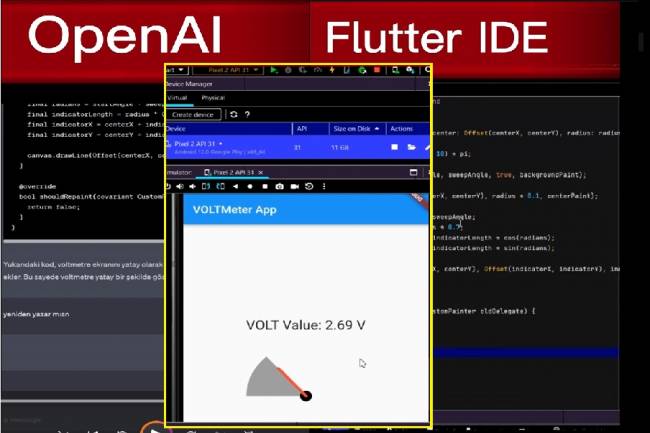
Developing Mobile Applications with Artificial Intelligence – Voltmeter Interface Application
The mobile application developed with artificial intelligence visualizes the microcontroller volt measurement with numerical data.
12.09.2023
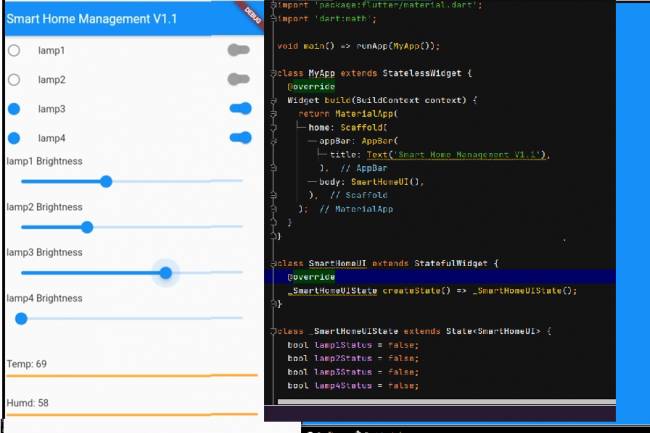
Mobile Application Interface Development Study for Smart Homes
Ways to develop mobile applications with Flutter for smart home and workplace systems
16.09.2023

Designing an Air Quality Measurement System 1 – Basic definitions of Air Quality
Air Quality Measurement System design and air quality parameters. PM2.5, CO, NO2, O3, SO2 measurement
02.10.2023
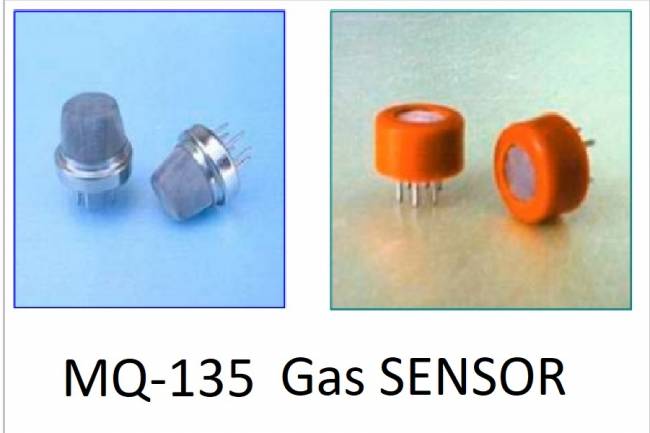
Designing an Air Quality Measurement System 2- MQ-135 Gas Sensor Review
MQ-135 Gas Sensor: A powerful sensor used to monitor air quality and detect gases. Offers precise measurement
02.10.2023
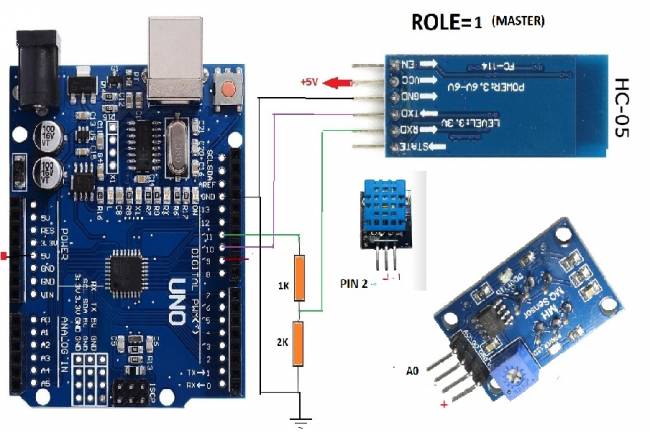
Designing an Air Quality Measurement System 3 - Measurement with MQ-135 and DHT-11
Designing an Air Quality Measurement System - Measurement with MQ-135 and DHT-11.
10.10.2023

Designing an Air Quality Measurement System 4 – Air Quality Monitoring Mobile Application
Air Quality Monitoring Mobile Application. Receive air quality data via Bluetooth, parse it in JSON format
10.10.2023