

28.Nov.2023
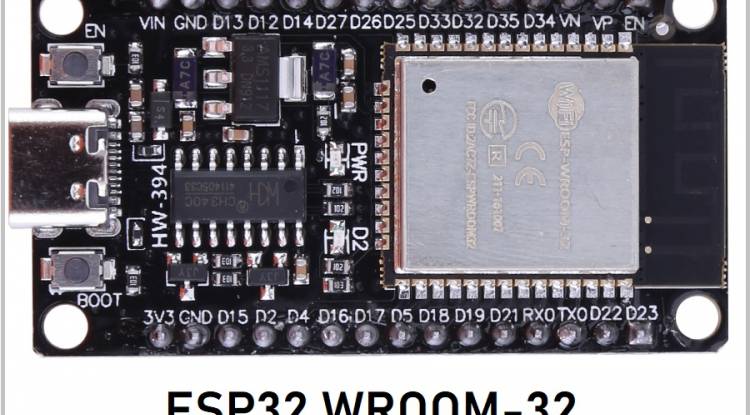
ESP32-WROOM-32 microcontroller is an IoT (Internet of Things) platform that stands out with its extended features and powerful capabilities. In this article, we will read data from four DHT-11 temperature and humidity sensors on the ESP32 using ESP-IDF (Espressif IoT Development Framework) and C++ language and display this data via an HTTP server.
Requirements
1. ESP-IDF Installation: Download and install ESP-IDF from here.
2. VSCode Installation: Download and install Visual Studio Code from here.
3. PlatformIO Installation: Install the PlatformIO plugin on VSCode.
Project Creation and Hardware Connections
1. Project Initialization: Go to Terminal or Command Prompt and create a project directory. Then start theESP-IDF project using the following command:
idf.py create-project my_dht_project
cd my_dht_project
2. Hardware Connections: Connect DHT-11 sensors to ESP32-WROOM-32. You can use the links below:
DHT1: GPIO 4
DHT2: GPIO 5
DHT3: GPIO 6
DHT4: GPIO 7
C++ Code and ESP-IDF Settings
#include <freertos/FreeRTOS.h>
 #include <freertos/task.h>
 #include <esp_log.h>
 #include <esp_http_server.h>
 #include <driver/gpio.h>
 #include <DHT.h>
#define DHT_PIN1 GPIO_NUM_4
 #define DHT_PIN2 GPIO_NUM_5
 #define DHT_PIN3 GPIO_NUM_6
 #define DHT_PIN4 GPIO_NUM_7
 #define DHT_TYPE DHT_TYPE_11
DHT dht1(DHT_PIN1, DHT_TYPE);
 DHT dht2(DHT_PIN2, DHT_TYPE);
 DHT dht3(DHT_PIN3, DHT_TYPE);
 DHT dht4(DHT_PIN4, DHT_TYPE);
static const char *TAG="HTTP_SERVER";
esp_err_t sensor_handler(httpd_req_t *req) {
      char sensor_data[100];
     float temp1=dht1.readTemperature();
      float hum1=dht1.readHumidity();
      float temp2=dht2.readTemperature();
      float hum2=dht2.readHumidity();
      float temp3=dht3.readTemperature();
      float hum3=dht3.readHumidity();
      float temp4=dht4.readTemperature();
      float hum4=dht4.readHumidity();
     snprintf(sensor_data, sizeof(sensor_data), "Sensor 1: Temp=%.2f°C, Hum=%.2f%%\n"
                                                "Sensor 2: Temp=%.2f°C, Hum=%.2f%%\n"
                                                "Sensor 3: Temp=%.2f°C, Hum=%.2f%%\n"
                                                "Sensor 4: Temp=%.2f°C, Hum=%.2f%%\n",
               temp1, hum1, temp2, hum2, temp3, hum3, temp4, hum4);
     httpd_resp_send(req, sensor_data, HTTPD_RESP_USE_STRLEN);
      return ESP_OK;
 }
httpd_uri_t sensor_uri={
      .uri="/sensor",
      .method=HTTP_GET,
      .handler=sensor_handler,
      .user_ctx=NULL
 };
httpd_handle_t server=NULL;
void start_webserver() {
      httpd_config_t config=HTTPD_DEFAULT_CONFIG();
      if (httpd_start(&server, &config)==ESP_OK) {
          httpd_register_uri_handler(server, &sensor_uri);
      }
 }
void stop_webserver() {
      if (server) {
          httpd_stop(server);
      }
 }
void app_main() {
      dht1.begin();
      dht2.begin();
      dht3.begin();
      dht4.begin();
     start_webserver();
 }
This code reads temperature and humidity values from DHT-11 sensors and displays these values via an HTTP server with the "/sensor" endpoint.
In this article, we read data from four DHT-11 temperature and humidity sensors using ESP-IDF and C++ on the ESP32-WROOM-32 microcontroller. Additionally, we were able to view this data via an HTTP server. Once you understand the basics of this project, you can step into more complex IoT projects with ESP32.
MicroPython: Python on Microcontrollers
MicroPython is the specialized version of Python on microcontrollers. A comprehensive article on ESP32 programming, IDE selection and MicroPython code structure.
28.11.2023
ESP-WROOM-32 and ESP-IDF are a Real-Time Operating System (RTOS).
ESP-WROOM-32 and ESP-IDF are also included in the system (RTOS). VSCode, PlatformIO and C++ code for ESP32 IoT projects.
29.11.2023
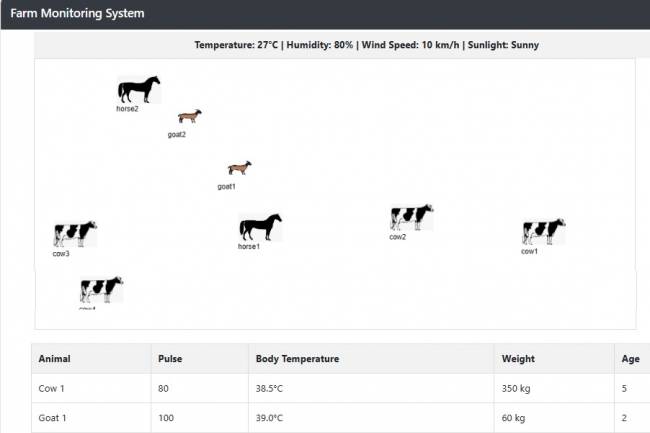
Farm Monitoring (IoT) Demo: The Future of Smart Agriculture
Discover: Manage your farms remotely with Farm Monitoring (IoT) Demo. Live camera images, environmental data and animal health information are instantly available to you
21.01.2024
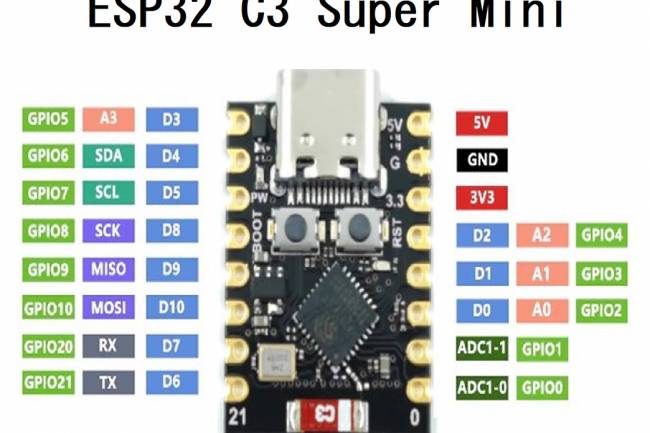
ESP32-C3 SuperMini: A Compact and Powerful Microcontroller
ESP32-C3 SuperMini features, areas of use, and a simple web server application with Arduino. A compact and powerful microcontroller for IoT projects
25.06.2025